How it works
Four steps, and a person at every one.
Nothing here is automatic in the way that word usually means. Annie does the daily work at a scale no clinic could staff; a named specialist carries the judgment.

Meet Annie
One AI. A connected understanding of your child.
Annie brings your child's learning, communication, everyday skills and emotional support into one connected experience — using the information your family and authorised professionals share.
You should not have to tell your child's story again every time you need a different kind of help.
Her understanding builds from what you choose to share: your child's strengths and interests, how they communicate, your concerns and observations, the reports you upload, the goals that have been agreed, and what happened in the sessions themselves. Nothing is shared anywhere by default, and you decide what a school or another professional can see.
Annie is one AI across these areas of support, not a separate chatbot for each. She is not a licensed psychologist, therapist or teacher, she holds no professional credentials, and she does not diagnose or replace assessment. She prepares and adapts your child's sessions, delivers the practice your therapist has written, answers questions in the areas she covers, keeps the record, and puts what she has seen in front of the people who decide. She works from what has been shared with her, so she will sometimes need you to correct or fill something in.
What connected looks like
- A goal is agreed with your specialist.
- It becomes a standing instruction in your child’s profile, so it shapes the sessions Annie prepares.
- Your child works through them, and every attempt is recorded — including where help was needed.
- You add what you saw, and your note carries into the write-up instead of being lost.
- The next day starts from that, rather than from a blank page.
An illustration of how the pieces connect, not a real child’s results.
Step by step
From your folder to Tuesday morning.

Step 1
Tell Annie about your child
A conversation in the app, not a form: your child’s name and age, how they communicate, how they use a tablet, whether they read. One question at a time, with answers you can tap.

Step 2
Add what you already have
Assessments, an IEP, a school note, a photo of a page, a short video — or nothing at all. If you have nothing, you can book a call with a specialist instead. Annie reads what you add and stops asking what the reports already tell her.

Step 3
A specialist reviews the plan
Annie proposes where to start. A qualified specialist reviews the plan and the evidence behind it and can change anything in it. That review covers the plan and the goals; Annie does the daily work inside them.

Step 4
Practice starts — and you can see it
Ten to twenty coached minutes with you at home, or your child’s own sessions in the browser. Every attempt is recorded: what they did unaided, and where help arrived.
What the app looks like
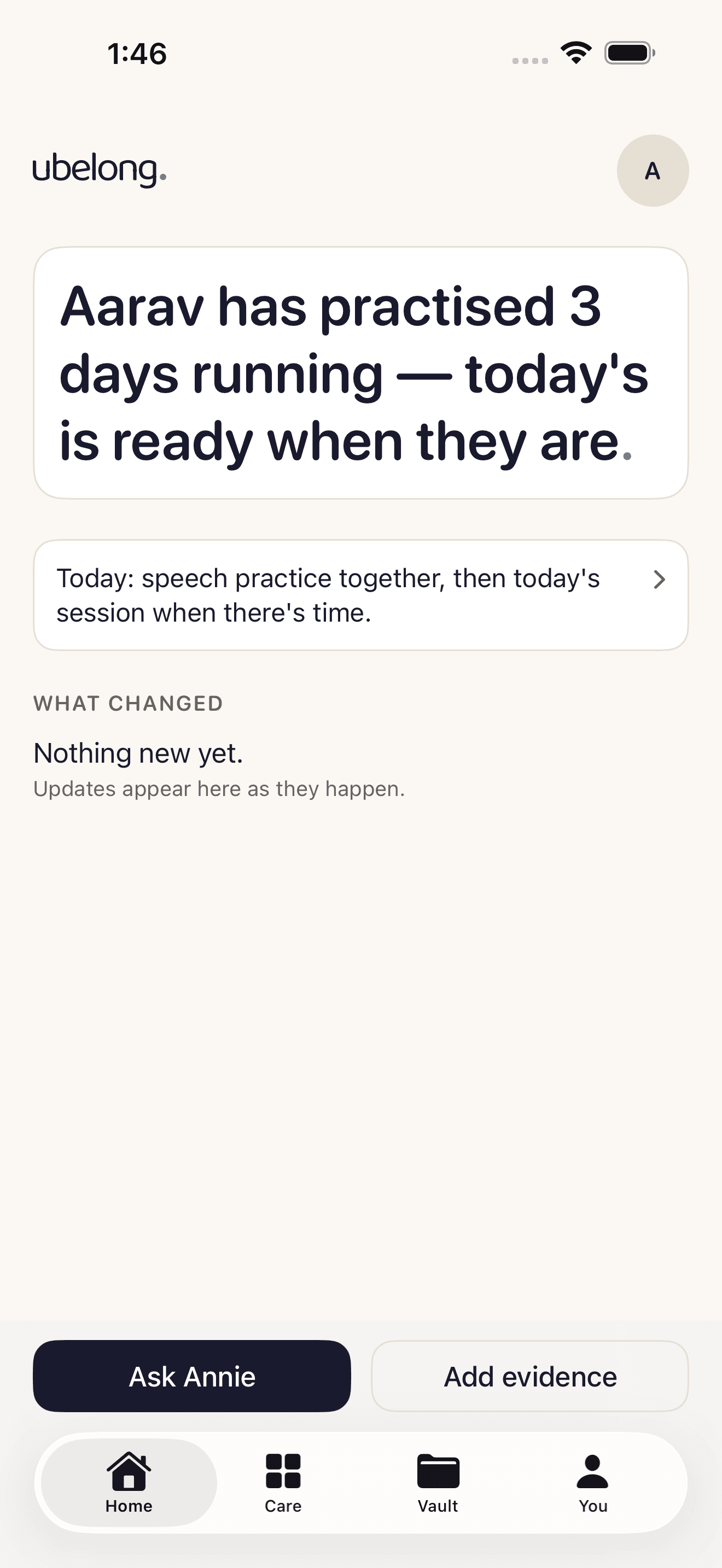
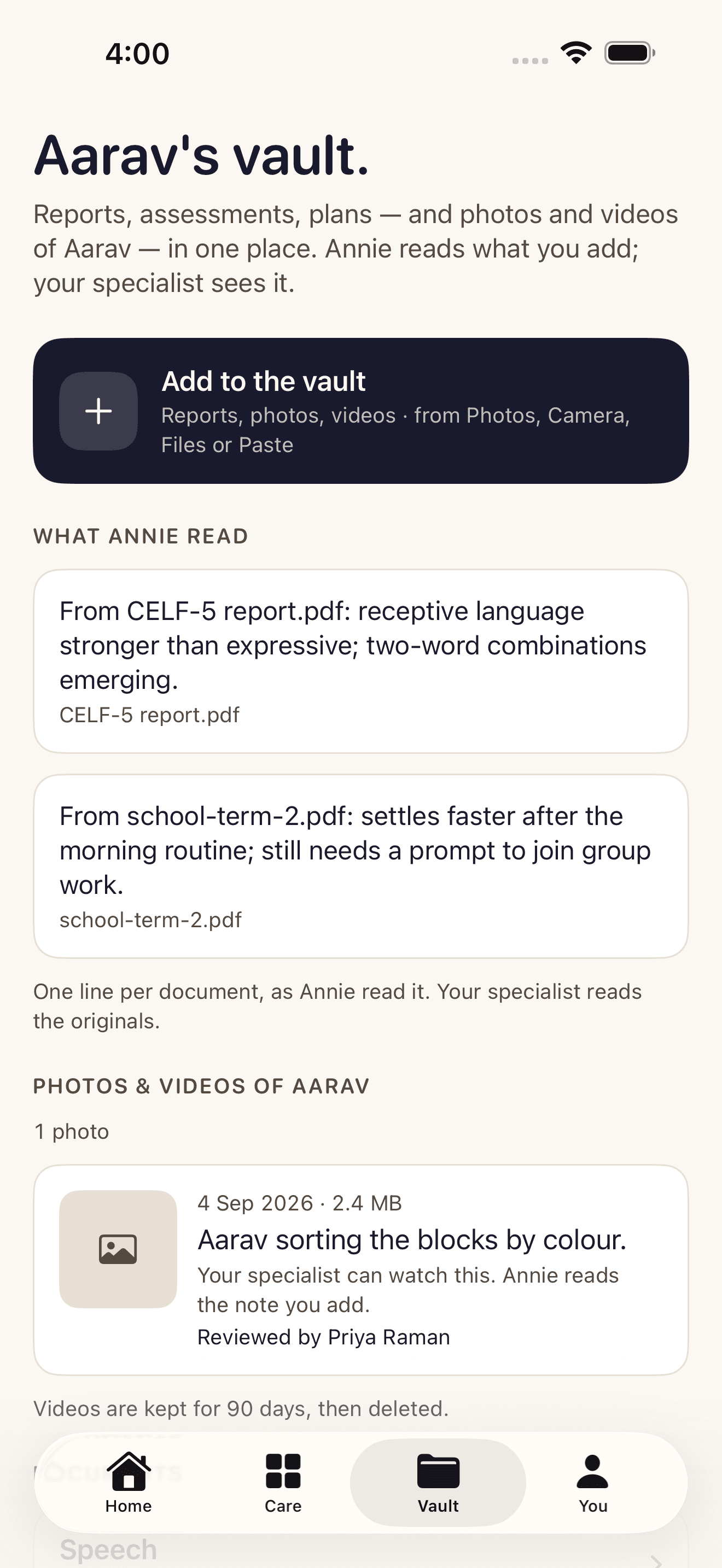
Four tabs, and nothing you have to decode.
- Home — one true sentence about today, what needs you, what Annie is handling, and what changed.
- Care — practice together, your child’s own sessions, social stories written for a moment that is coming, and calls with your specialist.
- Vault — every report in one place, one honest line of what Annie read from each, and photos or videos you add for the specialist.
- You — your child’s profile, the family you invite in, your privacy choices per purpose, and delete everything in two taps.
What we will not do
The rules we hold ourselves to.
- Annie does not diagnose, and nothing she writes reaches a child before a person approves it.
- We never show a number the system did not measure. If it is early days, the app says so.
- We never sell your data, and we never advertise to you or to your child.
- You can withdraw any consent, or delete everything, from the app.
Start with your child, free.
The app is free while we get started. Tell Annie about your child, and a specialist-supervised plan follows.
Free to start, in your browser. We'll explain any charges before you choose additional support.